Reading, editing & suggesting
DraftMesh's four document modes — Viewing, Editing, Suggesting and Code — and where comments, suggestions and approvals are stored inside the markdown file.
Every markdown document has four modes, switched from the toolbar above the document:

Viewing
The default. The document renders as formatted prose. Select any text — a phrase, a whole section, even across a table — and a small menu appears:
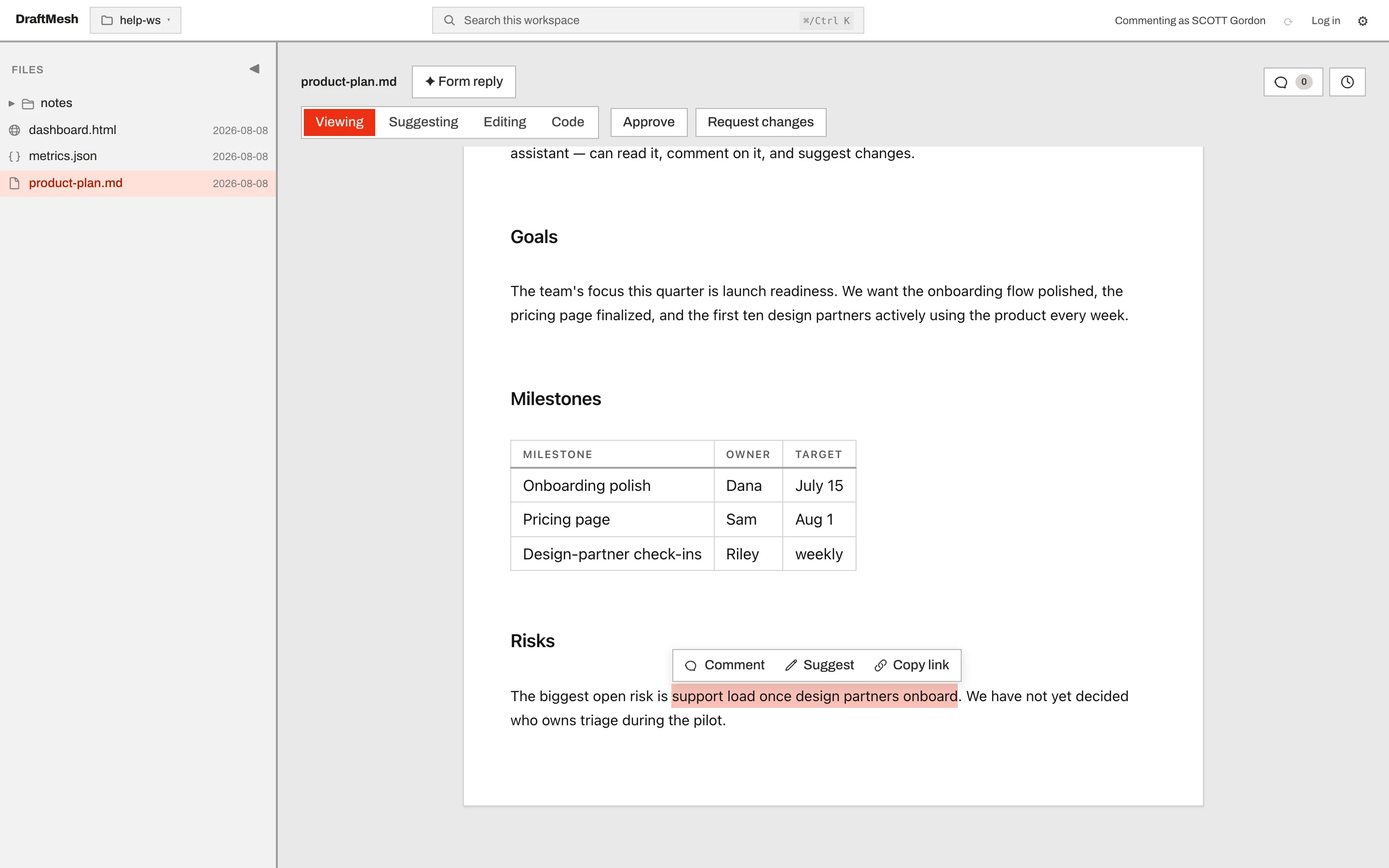
- Comment — attach a comment to exactly the text you selected.
- Suggest — propose replacement text for the selection (see below).
- Copy link — copy a deep link that opens this document scrolled to this section.
Editing
A full rich-text editor: type directly, and formatting (headings, bold, lists, tables) is applied as you write. There is no Save button — changes auto-save, and the status in the toolbar tells you when the document is saving or saved. Every save becomes a version you can restore later.
Suggesting
Propose changes without changing the document. Select text and choose Suggest, or switch to Suggesting mode and simply type — your edits are captured as tracked changes instead of being applied.
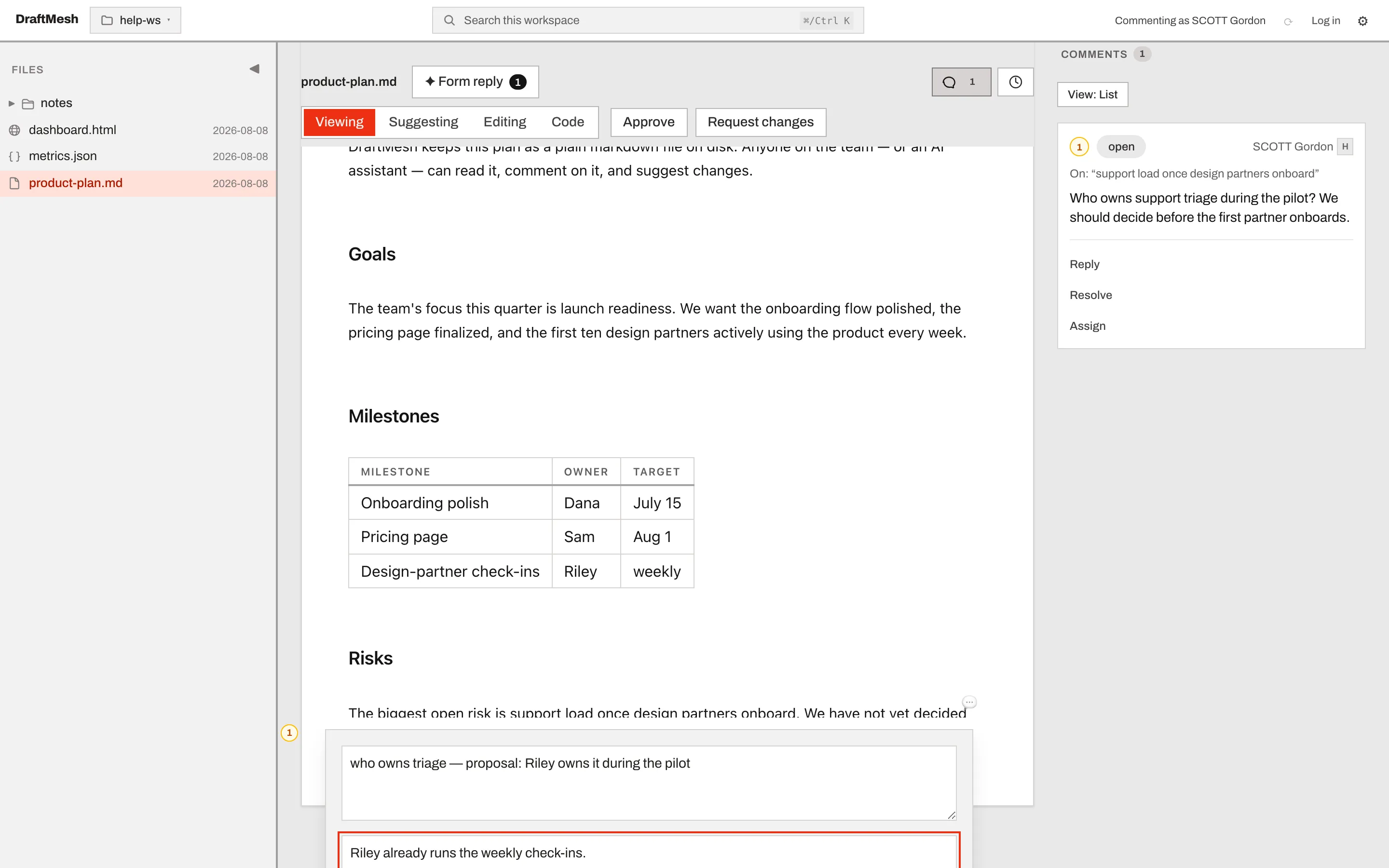
A suggestion shows up in the document as a strikethrough of the old text next to the proposed new text, and in the Comments panel with Accept and Reject buttons. The document’s actual content only changes when someone accepts the suggestion.
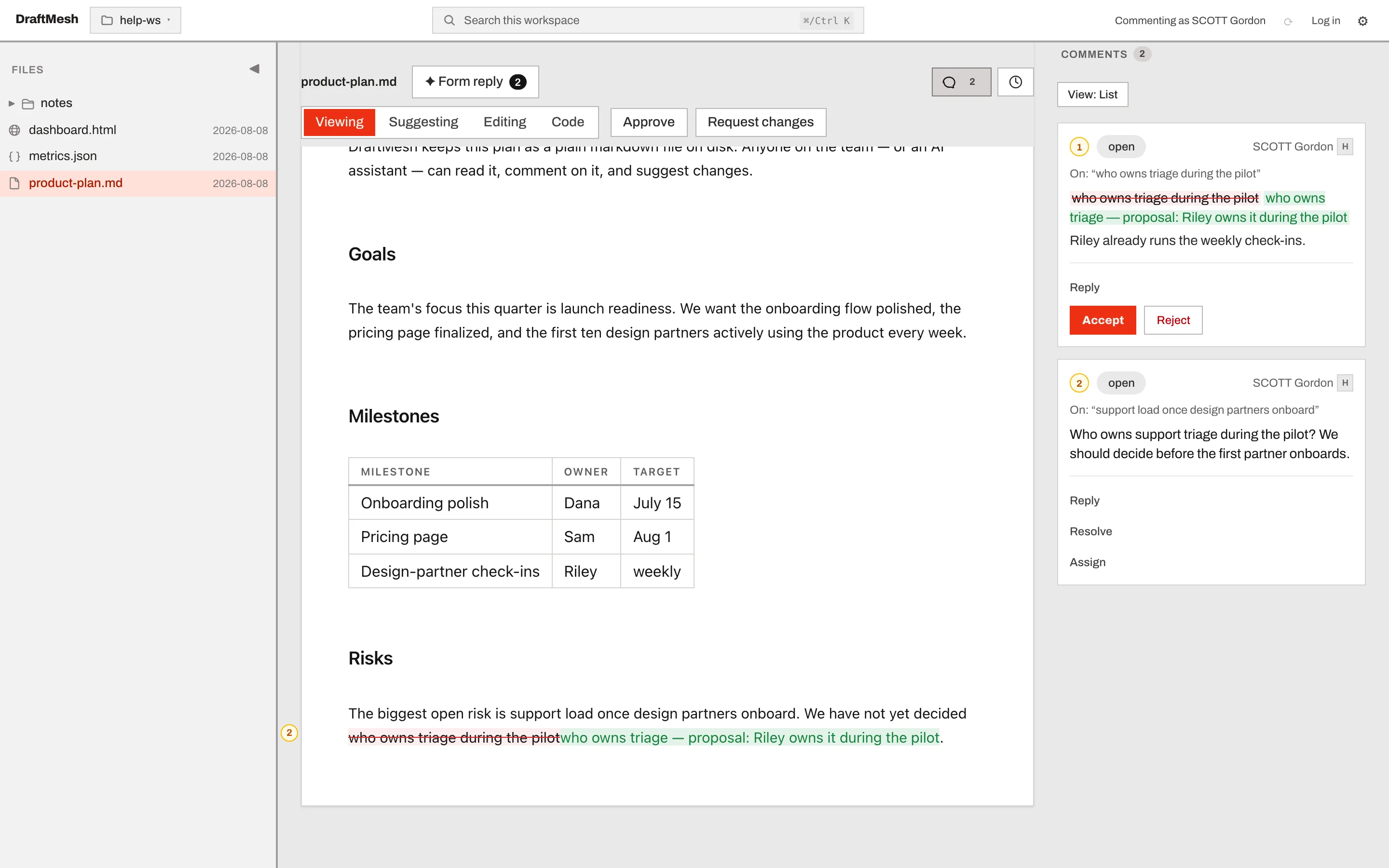
Code
The raw markdown, in a syntax-highlighted editor. Useful for precise formatting work — and for seeing exactly what is stored in your file, including the annotation markers described below. Code mode auto-saves just like Editing.
Where comments and suggestions live
Comments, suggestions, and approvals are stored inside the markdown file itself, as invisible HTML comments (<!-- @draftmesh{…} -->). You can see them in Code mode:
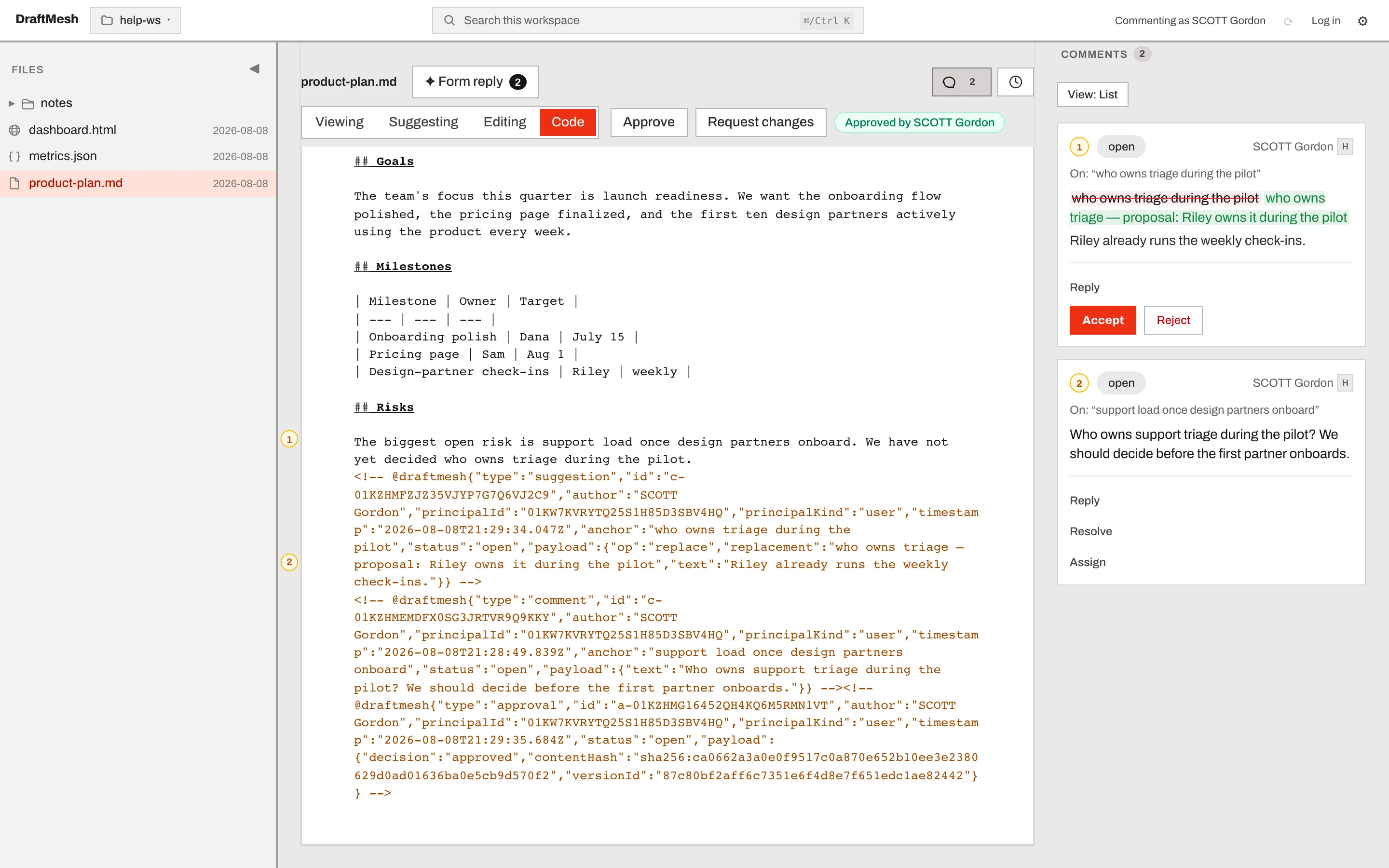
This is what keeps your documents portable: the file works in any editor, the annotations travel with the file, and if another tool edits the text, DraftMesh re-anchors the annotations to the surviving text — or marks them as orphaned rather than losing them.